

Automatic curtain opener technology is unlocking a new era for smart homes, making window coverings hands-free, energy-smart, and more accessible than ever. But before you get caught up in the hype, it’s critical to understand the hidden costs, installation hurdles, and privacy tradeoffs that most product ads gloss over.
Key Takeaways
- Compatibility and smart-home integration matter most—always check your curtain type, rod/track, and voice assistant support before you buy.
- Total Cost of Ownership includes more than hardware—consider installation fees, batteries, and the realistic long-term reliability of motors or apps.
- Local control and privacy features are rare but important—many automatic curtain openers require cloud connectivity and may share usage data externally.
- Why automate your curtains now — market & ROI context
- How to choose, measure, and install — a step-by-step buyer’s guide
- Advanced analysis & common pitfalls: cost, compatibility, and integration
- Conclusion
- FAQs
Why automate your curtains now — market & ROI context
Adoption of automatic curtain openers is surging, driven by smarter homes, demand for energy savings, and real accessibility gains for people with mobility challenges. According to Precedence Research, the global automatic curtain market was valued at USD 3.59–3.6 billion in 2024 and is projected to hit USD 6.13 billion by 2034—a compound annual growth rate of about 5.5%. The smart curtain opener segment alone sits at roughly USD 1.2 billion globally this year[source].

Why does this matter for buyers?
- Smart-home compatibility and energy efficiency: Automated shading can cut HVAC energy use by up to 25% in optimal conditions (study).
- Retrofit-friendly designs have improved; smart curtain openers can now be installed in most homes—rented or owned.
- Vendor support and ecosystem maturity are high, but pitfalls remain in app reliability and privacy.
This is the best time to invest if you want broad device support and real energy/automation payback—but only if you buy for your actual window type, not just brand buzzwords.
How to choose, measure, and install — a step-by-step buyer’s guide
Picking the right automatic curtain opener isn’t about features. What matters is total compatibility—from your curtain and hardware style to your Wi-Fi, voice platforms, and future-proofing for updates. Here’s how to evaluate and install with confidence:
- Identify your curtain setup
- Rod, U-rail, or I-rail? Look for the profile of your curtain hardware—clip-on robots only fit standard rods or certain rails; motorized curtain tracks often require replacing your entire track.
- Mounting location: Wall-mounted, ceiling-mounted, or specialty shapes (L-shaped, curved, bay windows) often need high-torque units or custom solutions.
- Measure key specs
- Rod/track diameter and length (check for telescoping tracks; these can cause robots to stall).
- Total weight of your curtains (especially important for blackout or double-layer).
- Pick your technology
- Entry-level: Clip-on retrofit robots (~$60–$120 each).
- Mid-range: Motor+Track Kit (~$150–$350 per window).
- High-end: Fully custom smart tracks (>$1,000/window).
- Decide on power
- Battery-powered models (rechargeable, ~weeks of use under heavy load but easier to install).
- Plug-in or hardwired (no charging but may require professional install).
- Assess smart-home integration needs
- App control only (most brands).
- Voice assistant support: Alexa and Google are common; Apple HomeKit and Matter support remain spotty in 2024. Double-check real ecosystem compatibility—don’t trust just the badge on the box!
- Plan installation
- DIY: Most retrofit units, battery-powered kits.
- Pro install: Hardwired tracks, large windows, ceiling or heavy drapes. Expect $100–$300/window for labor.
- Check privacy and local control claims
- Cloud-based vs. true local/LAN control—most devices default to cloud unless you specifically choose privacy-first brands.
- Ask about firmware/security support and where scheduling or usage data is stored.
- Track total cost of ownership
- Hardware, install, possible battery replacements.
- Nearly all vendors avoid subscription fees, but check for hidden app/automation charges if bundled with broader platforms.
- Test before committing
- Run device pairing, schedule a test open/close, check voice assistant integration and noise levels. Try both with and without internet (if possible) to confirm fallback controls.
- Document setup and warranty
- Take photos during setup; note Wi-Fi/Bluetooth/Matter pairing steps in your home folder/app for future troubleshooting.
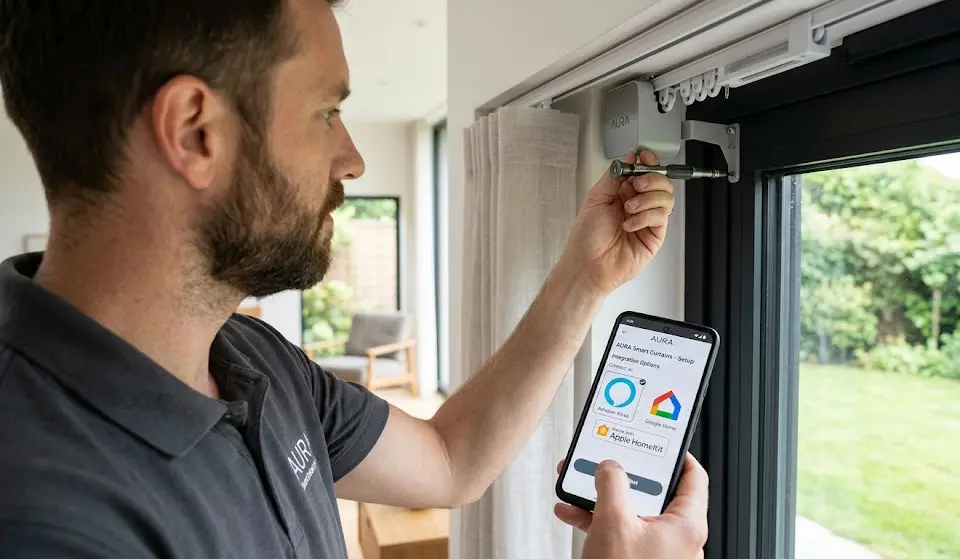
Remember: For detailed shopping and compatibility, don’t depend just on manufacturer images or “universal fit” promises. Leverage community forums and detailed reviews for your target product. If you need additional inspiration for other smart home upgrades, check our expert home improvement tips or smart coffee maker buying guide for practical, hands-on advice.
Advanced analysis & common pitfalls: cost, compatibility, and integration
Even with careful planning, most buyers run into issues that typical “top 10” lists skip. Based on 2024 research and real owner feedback, here’s what to watch for:
- Track/rod compatibility: Many “universal” products won’t fit curved, telescoping, or oversized rods. U-rail and I-rail systems require different adapters. Failure to match rail type is the #1 cause of returns.
- App controlled curtain opener Wi-Fi issue: Most support only 2.4 GHz Wi-Fi. If your home is mesh or 5 GHz-only, setup may fail unless you segment your network.
- Voice controlled curtains sometimes don’t support percentage open (only open/close) or experience long cloud delays. Some require a dedicated hub for Alexa/Google—not always included.
- Hidden costs: Battery-powered models can require frequent recharging with heavy curtains or daily automations, potentially more costly over time than plug-in models.
- Privacy shortcomings: Most “smart” openers require cloud access for full function and may log or share your usage patterns remotely. Few support local-only operation out of the box.
- Ongoing maintenance: Real-world user complaints include noise, torque loss on heavier curtains, and inconsistent open/close calibration. Expect some re-tuning every few months.
Here’s a side-by-side breakdown you should keep handy:
| Type | Price (per window) | DIY/Pro | Battery/Wired | Noise (dB) | Smart Home Support | Common Pitfalls | Typical Maintenance |
|---|---|---|---|---|---|---|---|
| Retrofit Robot | $60–$120 | DIY | Battery | ~35–45 | App, Alexa/Google (may need hub), rare HomeKit | Doesn’t fit all rods, loses grip, battery life short | Charge every 2–8 weeks, recalibration |
| Motor+Track Kit | $150–$350 | DIY/Pro | Battery/Plug-in | ~30–40 | App, Alexa/Google, some HomeKit/Matter | Install complexity, wall/ceiling alignment, wiring | Occasional lubrication, firmware updates |
| Custom Integrated | >$1,000 | Pro | Wired | ~25–35 | Full integration (incl. HomeKit), sometimes local API | Vendor lock-in, installer required | Low—annual checkup |
Practical steps to avoid regret:
- Ask sellers for data on local vs cloud control and security update policy—if they don’t answer clearly, reconsider.
- Review installation manuals before you buy; search for owner-uploaded PDFs for any models on your shortlist.
- For accessibility or mobility needs, prioritize openers with physical remotes and reliable offline fallback—not just app/voice control.
Finally, if you’re also working on other smart home improvements or accessibility upgrades, our guides on mini air purifiers and AI-powered air quality solutions can offer more practical advice for future-proofing your living space.

Conclusion
Choosing the right automatic curtain opener requires more than checking for a popular brand or smart assistant logo. You need to match your exact curtain hardware, understand the costs (hardware, install, maintenance), and be honest about your privacy requirements. True value comes from devices that work with your daily routines—not in being the flashiest gadget on your block.
Ready to take action? Automatic curtain opener solutions are more advanced, more affordable, and more energy-efficient than ever. Measure your windows, check your integration requirements, and get quotes from at least two vendors. Your home can be smarter, but only if you invest with your eyes wide open. For more ideas on home upgrades, check our resource on loft conversion costs to plan your next project in detail.
FAQs
Are subscription fees required for smart curtain openers?
No—for nearly all consumer models, app use and local scheduling are free. Rare exceptions appear in advanced automation bundles, but basic open/close is subscription-free.
Will this work with my Alexa, Google, or Apple HomeKit?
Most openers work with Alexa and Google Assistant, but HomeKit support is much less common (often requiring Homebridge or a Matter bridge). Always double-check official compatibility before buying.
How quiet are automatic curtain opener motors in real life?
Most claim “quiet” operation but are still audible, especially battery retrofit models (~35–45 dB). High-end, hardwired systems can drop below 30–35 dB but cost more.
How long do batteries last (real-world usage)?
Batteries typically need charging every 2–8 weeks depending on curtain weight and number of daily cycles—less than advertised for heavy blackout drapes.
Do automatic curtain openers really save money?
Automated shading can reduce HVAC energy bills by 10–20% annually, and up to 25% in ideal scenarios. Gains depend on building type, climate, and integration with thermostats or sensors.